
The comparison view lets you place rod string designs next to each other so you can spot differences in seconds instead of flipping between tabs.
Open the comparison view
Start from the simulation list. Each row has a checkbox on the left.
1. Select two to five designs by clicking their checkboxes.
2. Click the Compare button that appears in the toolbar.
3. The comparison view opens in a new panel with your selected designs arranged side by side.
You can also open it from a single design's detail page. Click Compare, then pick which other designs to include.
What you can compare
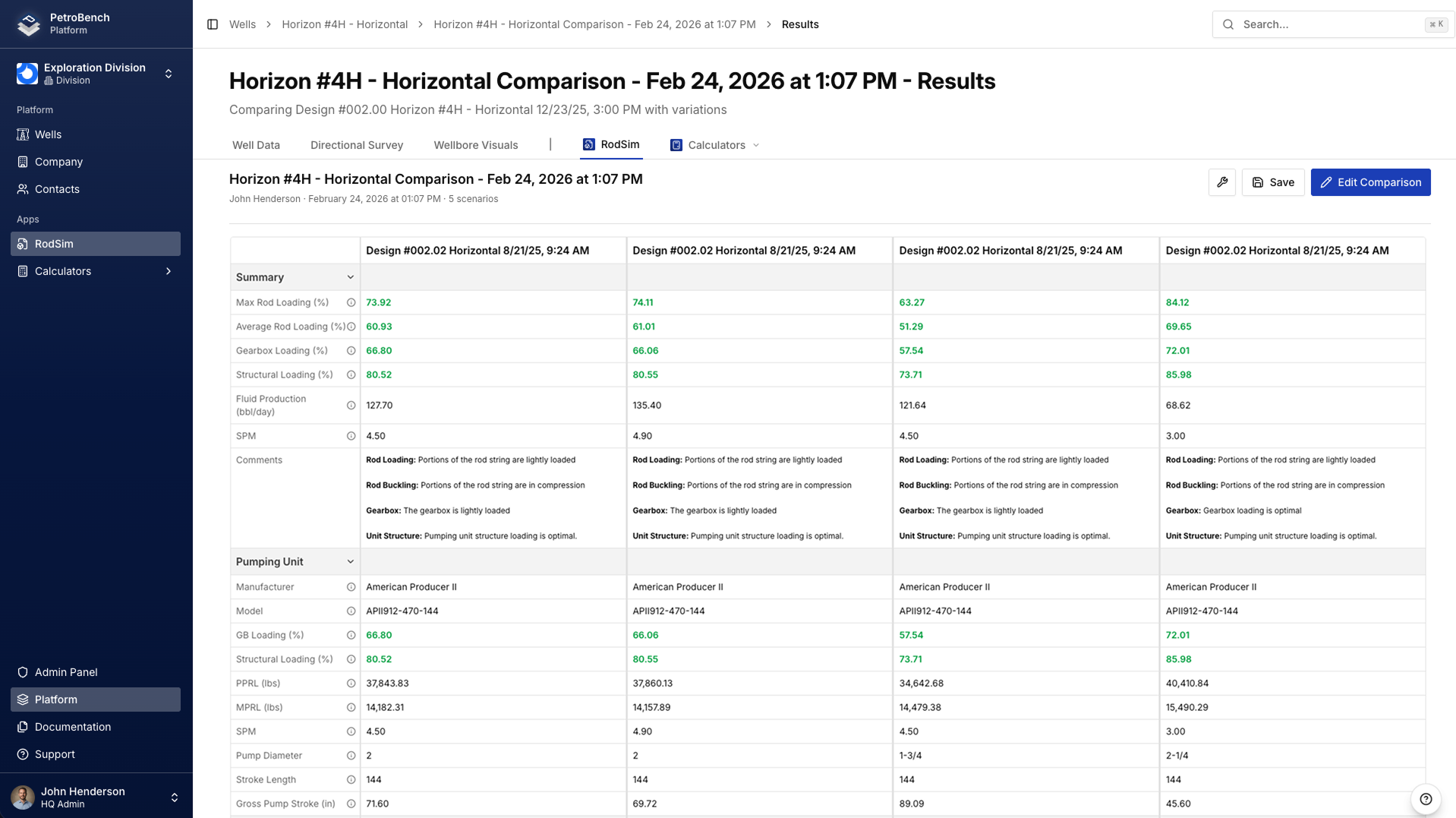
The view supports up to five designs at once. Each column shows the full results for one design, making it easy to scan across.
Compare designs from the same well to test different rod configurations, or compare across wells to see how downhole conditions affect the same rod string.
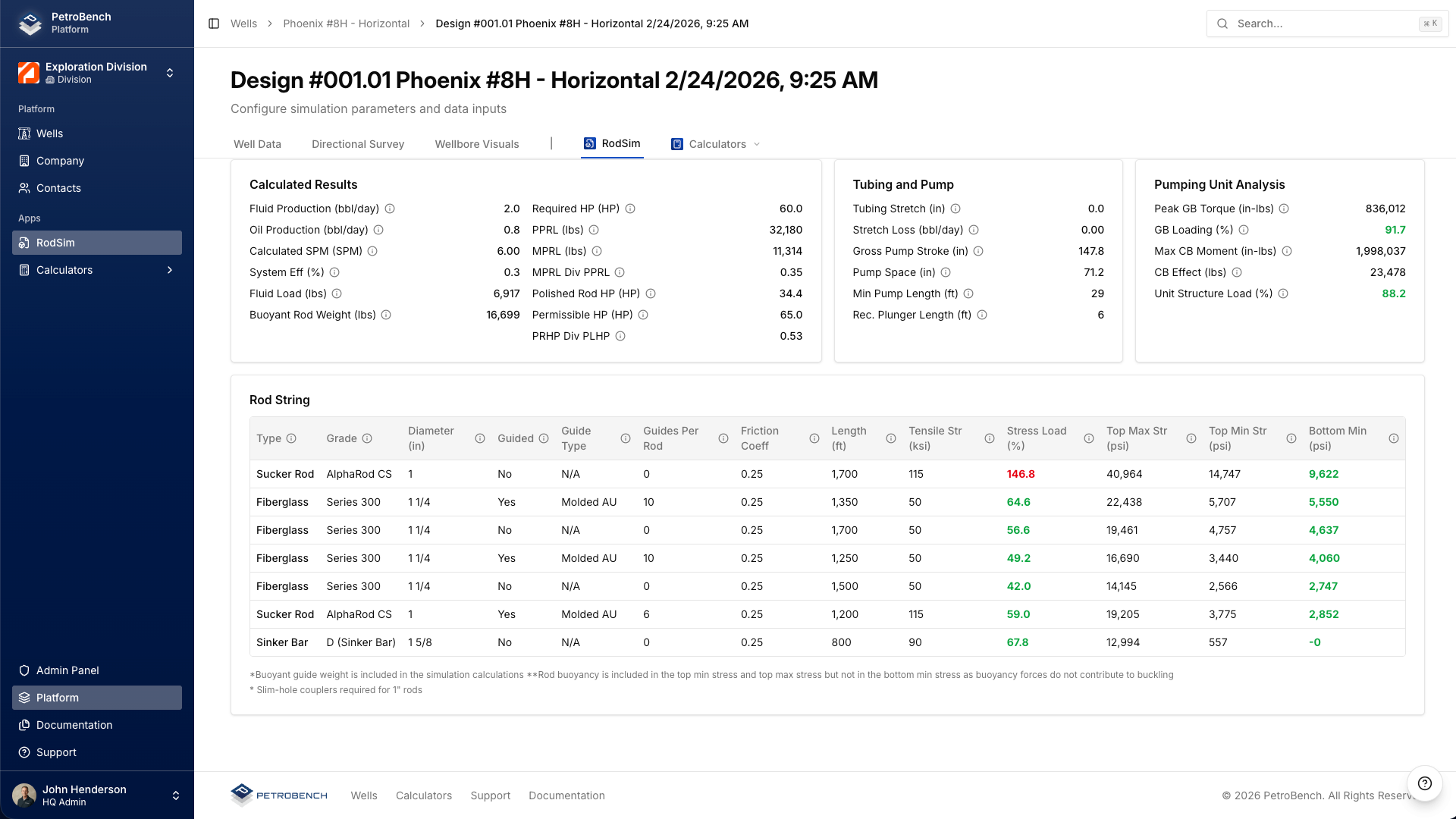
Every column includes: rod section geometry, calculated loads, stress ratios, dynacard shapes, and production estimates. If a design hasn't been run yet, that column shows a prompt to run the simulation first.
Reading the comparison panels
Loads and stresses
The top section shows peak polished rod load, minimum load, and the resulting stress ratio for each rod section. Values that exceed your safety threshold are highlighted in red so they stand out immediately.
Look at the stress ratio column first. A lower ratio means more safety margin. If two designs produce similar output but one has a meaningfully lower stress ratio, it's the safer choice.
Dynacard overlay
Each design's surface dynacard is drawn in the same chart. The overlay makes shape differences obvious - you can see how load distribution changes with different rod tapers or materials at a glance.
Hover over any point on a dynacard to see the exact load and position values. The legend at the top maps each color to a design name.
Production estimates
The bottom panel shows estimated fluid production, pump fillage, and effective stroke length. These numbers tell you whether a lighter rod string sacrifices too much pump efficiency or whether a heavier string is overkill for the well's conditions.
Create variants to isolate variables
The fastest way to understand how a single change affects results is to duplicate a design and modify one thing.
1. Open a design and click Duplicate.
2. Change one variable - for example, swap the top rod section from 7/8" to 1" diameter.
3. Run the simulation on the new variant.
4. Select both the original and the variant, then click Compare.
This approach gives you a controlled experiment. Every difference in the results comes from that single change, so you know exactly what drove it.
Name your variants clearly. Something like "Well 42 - 7/8 top" and "Well 42 - 1" top" makes the comparison view easy to read.
Making a decision
There's no single "best" metric. The right design depends on what you're optimizing for.
Prioritize safety margin: focus on stress ratios and peak loads. If a well has a history of rod failures, this is where to start.
Prioritize production: look at pump fillage and fluid production estimates. A design that produces 5% more fluid with acceptable stress ratios might justify the trade-off.
Prioritize cost: compare rod weights across designs. Lighter strings cost less to purchase and reduce energy consumption at the surface unit.
In most cases, you're balancing all three. The comparison view gives you the data to make that trade-off with confidence instead of guesswork.
Tips
Keep comparisons focused. Comparing two or three designs is usually more useful than five. The fewer columns, the easier it is to spot what matters.
Use consistent naming so you can tell designs apart in the column headers.
Run all designs before comparing. Partial results make it harder to evaluate trade-offs across the full set.