
Every RodSim simulation in PetroBench can be exported as a multi-page PDF report. The report packages your calculated results, design evaluation, rod string details, dynamometer cards, and 3D wellbore visualization into a single document ready to share or archive.
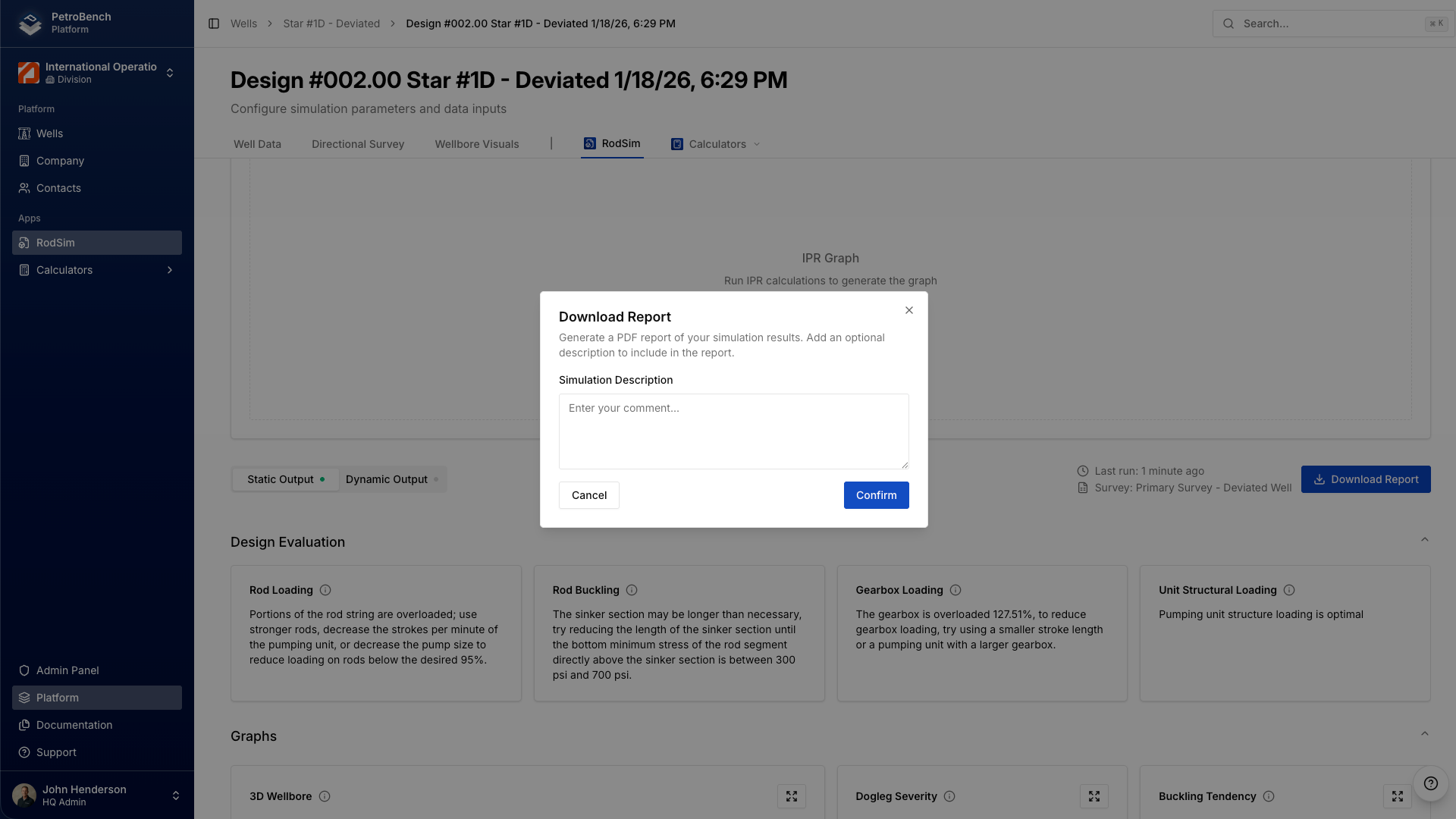
Open the Download Report dialog
Run a simulation in RodSim. Once results load, click Download Report in the top-right corner of the results page.
The dialog gives you two options before generating:
- Simulation Overview: A short summary of the simulation results. PetroBench generates a default overview, but you can edit it to add context for your team.
- Description: An optional free-text field. Use it for notes, well file references, or anything else you want on the report.
Click Confirm to start generating the PDF.
PetroBench compiles the report in the background. A loading screen confirms generation is in progress. Most reports finish in under ten seconds.
What's in the report
The PDF includes every section of your simulation output, laid out for print or screen review.
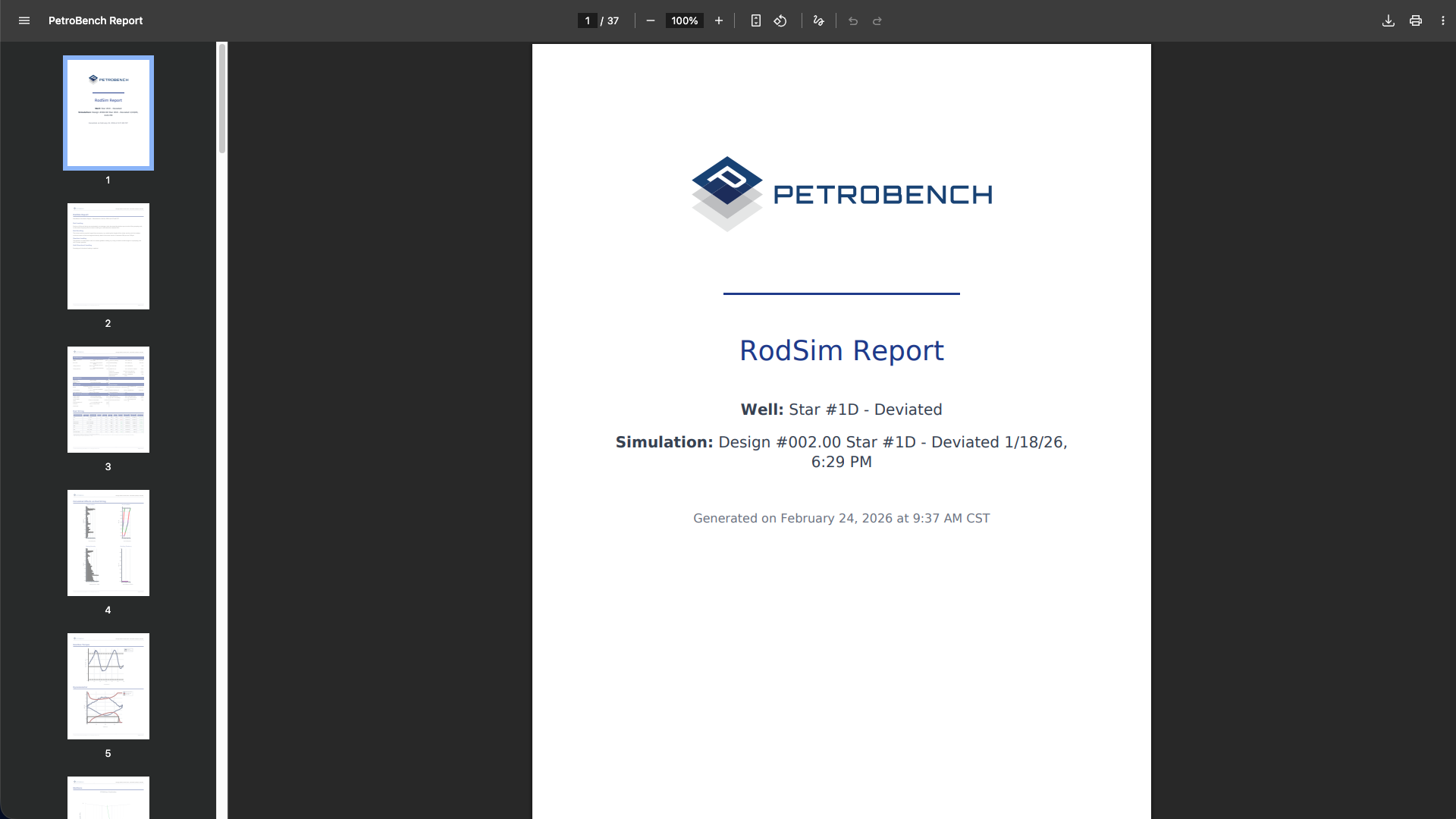
Cover page
The first page displays the PetroBench logo, report title, well name, simulation design name, and the date and time the report was generated. This gives recipients immediate context without opening the full document.
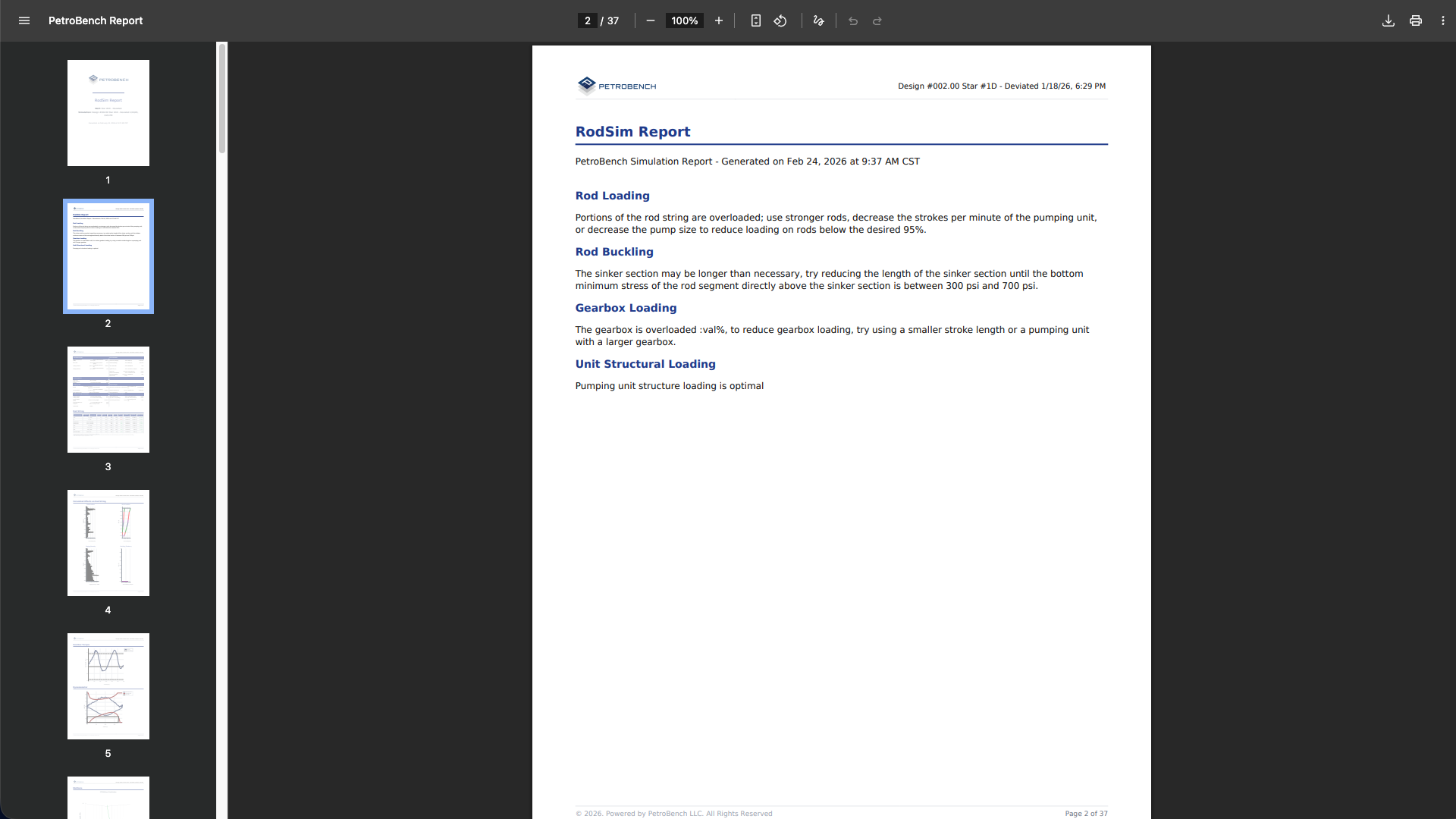
Design evaluation
The design evaluation page surfaces the key findings from your simulation. It covers rod loading, rod buckling, gearbox loading, and unit structural loading, each with a plain-language recommendation. If a section is overloaded or suboptimal, PetroBench tells you exactly what to adjust.
Calculated results
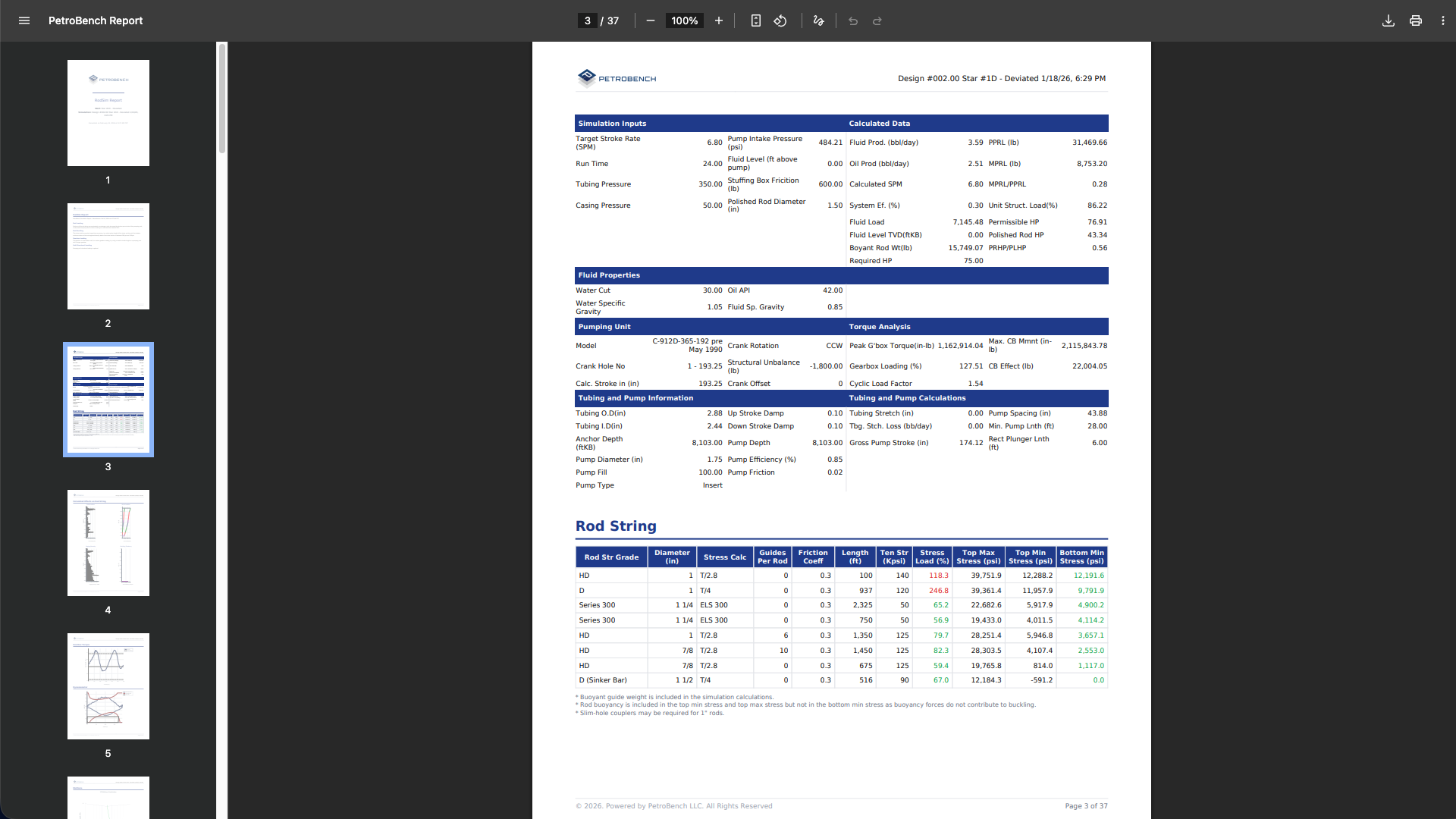
The full numerical output from the simulation. This includes production data, load parameters, fluid properties, tubing and pump specifications, and the complete rod string configuration broken down by taper. Everything an engineer needs to validate the design in one table.
Rod string charts
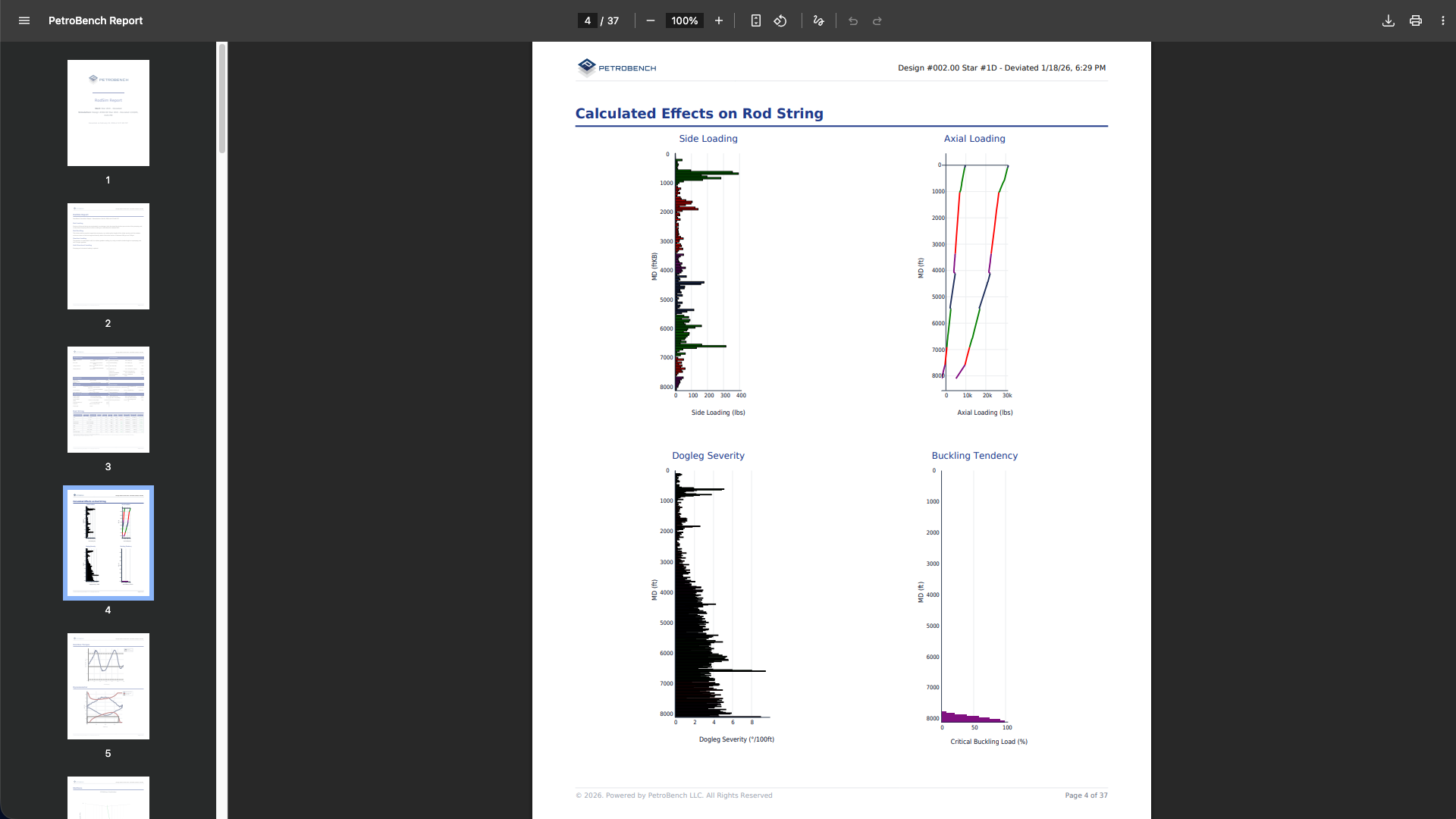
Visual charts showing the calculated effects on the rod string across depth. The report includes side loading, axial loading, dogleg severity, and buckling tendency plots. These give you a quick read on where stress concentrations occur and whether rod guides are needed.
Gearbox torque and dynamometer cards
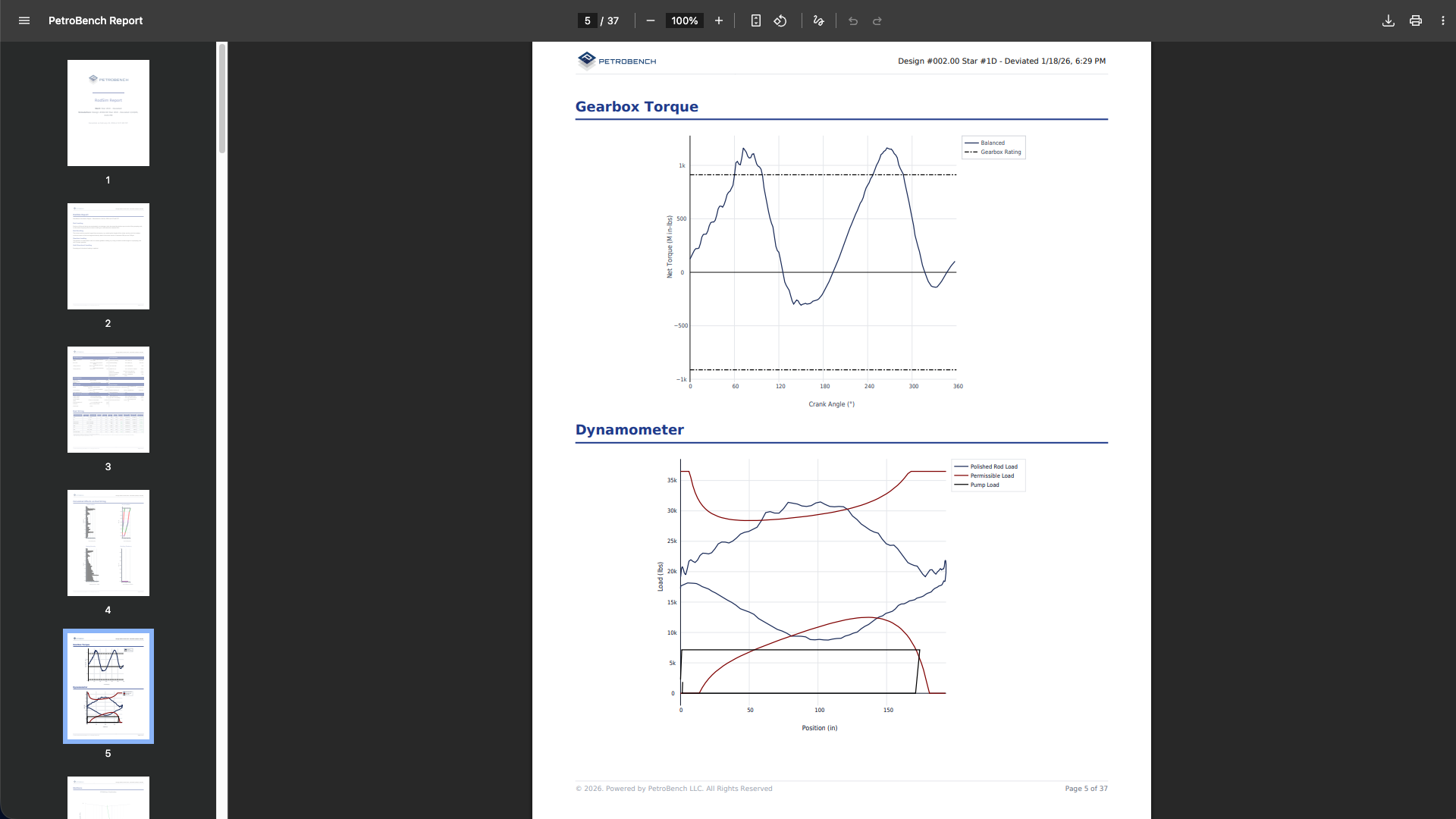
The gearbox torque chart plots net torque against the gearbox rating across the full crank cycle. Below it, the dynamometer card displays polished rod load, permissible load, and pump load as a function of position. Both charts are critical for confirming that the unit isn't operating beyond its mechanical limits.
3D wellbore visualization
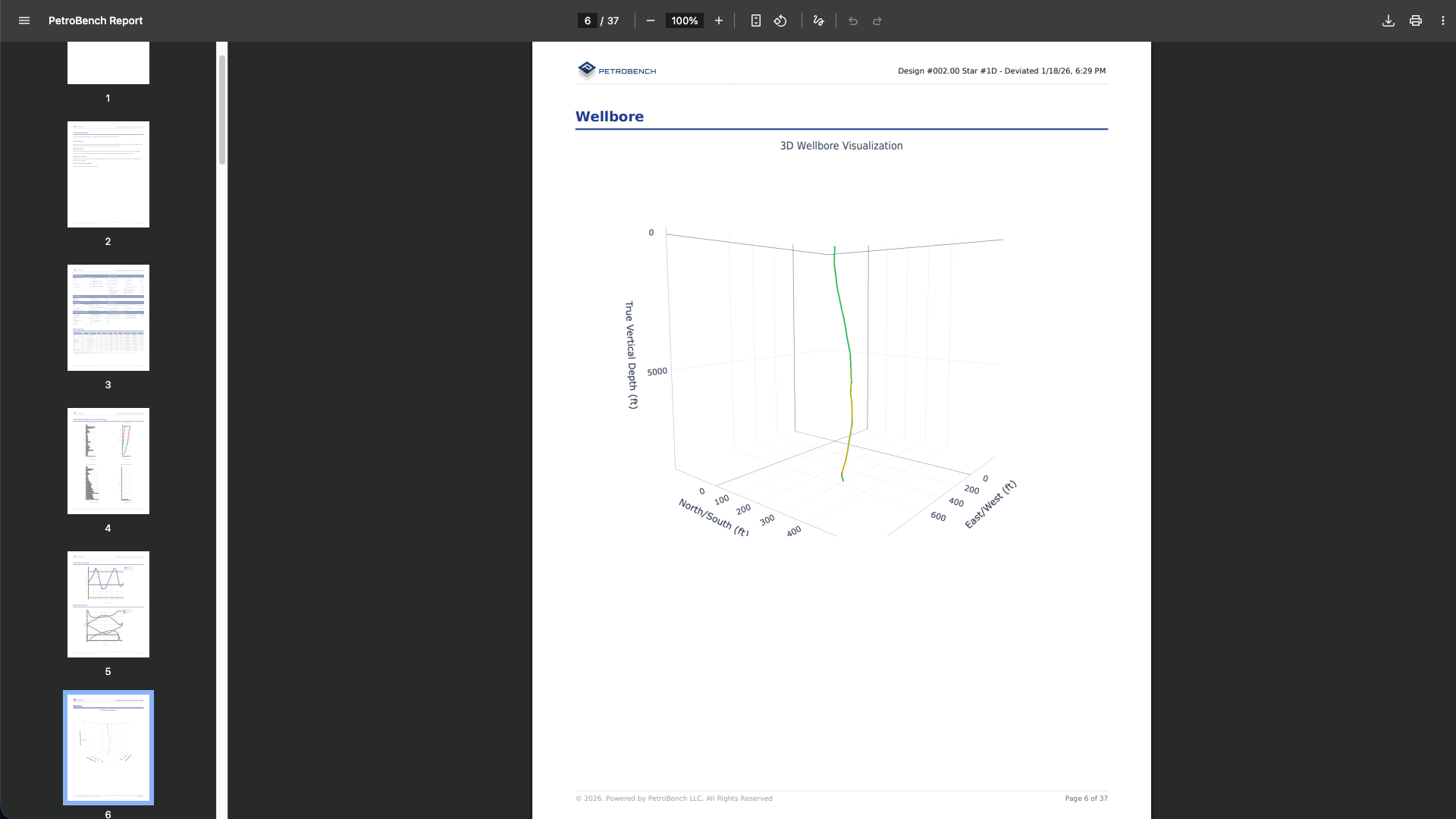
For deviated wells, the report renders a 3D wellbore trajectory showing the full path from surface to total depth. The visualization plots true vertical depth against north/south and east/west coordinates, making it easy to see the well profile at a glance.
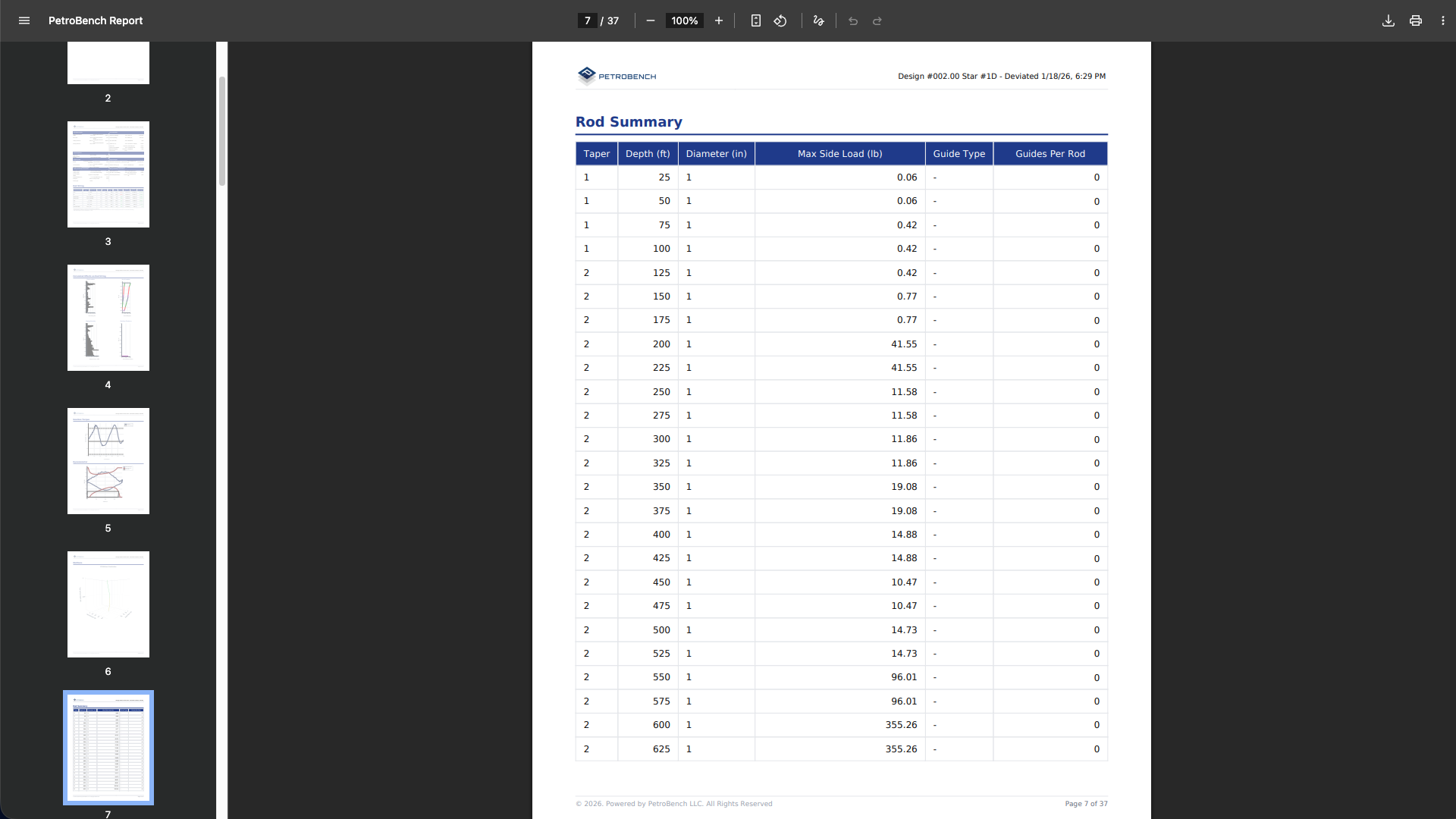
Rod summary table
A detailed breakdown of every rod segment in the string. Each row lists the taper number, depth, diameter, max side load, guide type, and guides per rod. This is the reference table for ordering rod guides and validating rod string design against field conditions.
Branding and customization
Every page in the report carries the PetroBench header with your simulation design name and timestamp. The cover page includes the PetroBench logo and your well name, so reports are immediately identifiable when stored in well files or shared across teams.
The footer on each page includes a copyright line and page numbers for easy reference in meetings or regulatory submissions.
Sharing and archiving
Once the PDF generates, it downloads directly to your browser. From there you can:
- Attach it to a well file in your document management system
- Email it to field engineers, production teams, or management
- Include it in regulatory filings or AFE documentation
- Print it for field reference during workover operations
Reports can be regenerated at any time from the same simulation. If you update parameters and rerun, generate a new report to capture the latest results.